
BUILT FOR HAIR TRANSPLANT CLINICS
Hair transplant aftercare.
Connected to your clinic.
Post Graft Care gives clinics one platform for hair transplant aftercare support, from personalized care plans to ongoing patient follow-up.
- Give every patient a clear recovery plan
- Keep progress photos and conversations together
- Make thoughtful follow-up part of everyday care
One connected experience for your team and your patients.
YOUR CLINIC. ONE CONNECTED WORKSPACE.
Clarity for patients.
Make the next step easier to find.
Continuity for your team.
Keep guidance and conversations connected.
Your clinic, throughout.
Extend your care beyond the appointment.
EXPLORE POST GRAFT CARE
Your aftercare, in action.
Choose a feature. Explore the real app.
Demo data · Select any screenshot to enlarge.
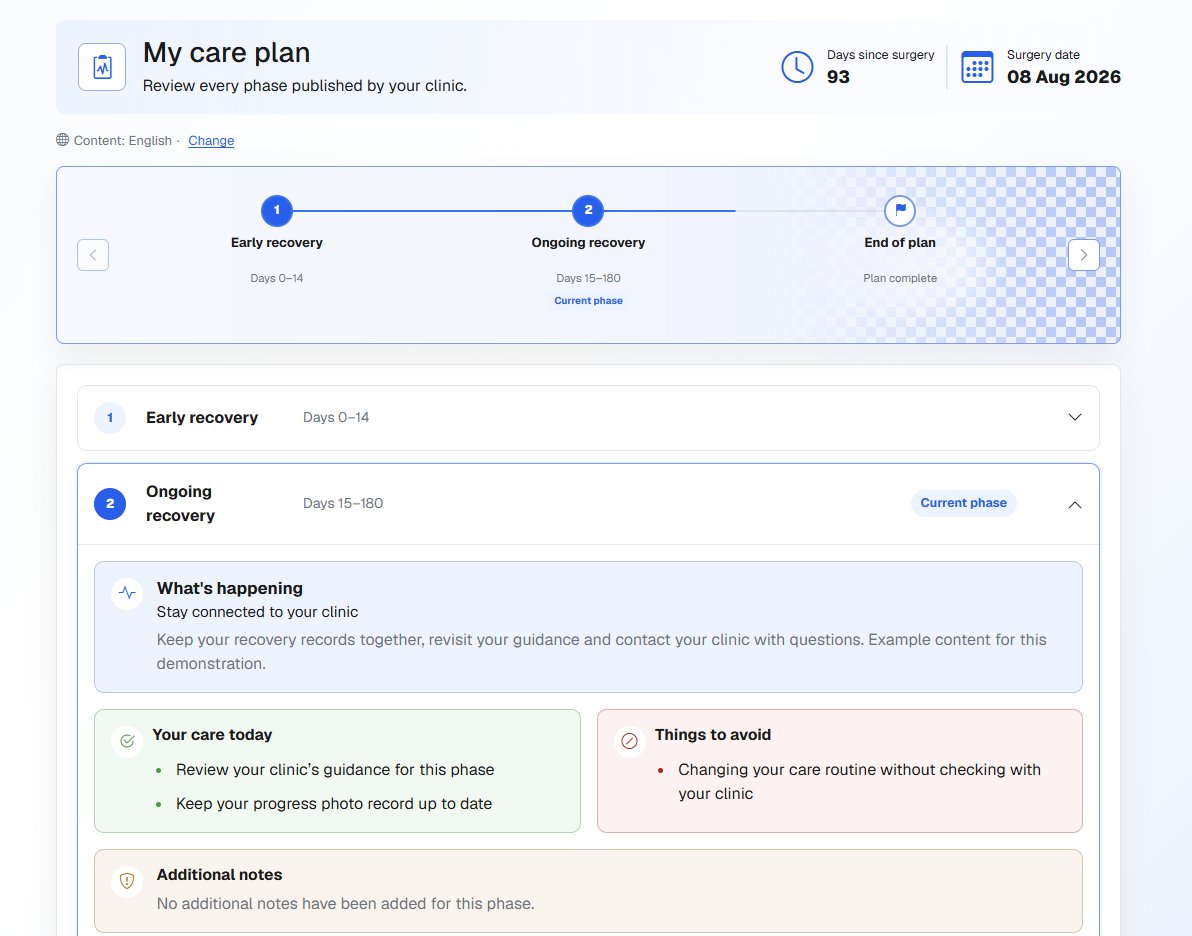
CARE PLANS
A clear next step, at every stage.
Turn your clinic’s hair transplant aftercare protocol into guidance patients can follow throughout recovery.
- Phase-based recovery plans
- Reusable templates, personalized guidance
- Related tips and product recommendations
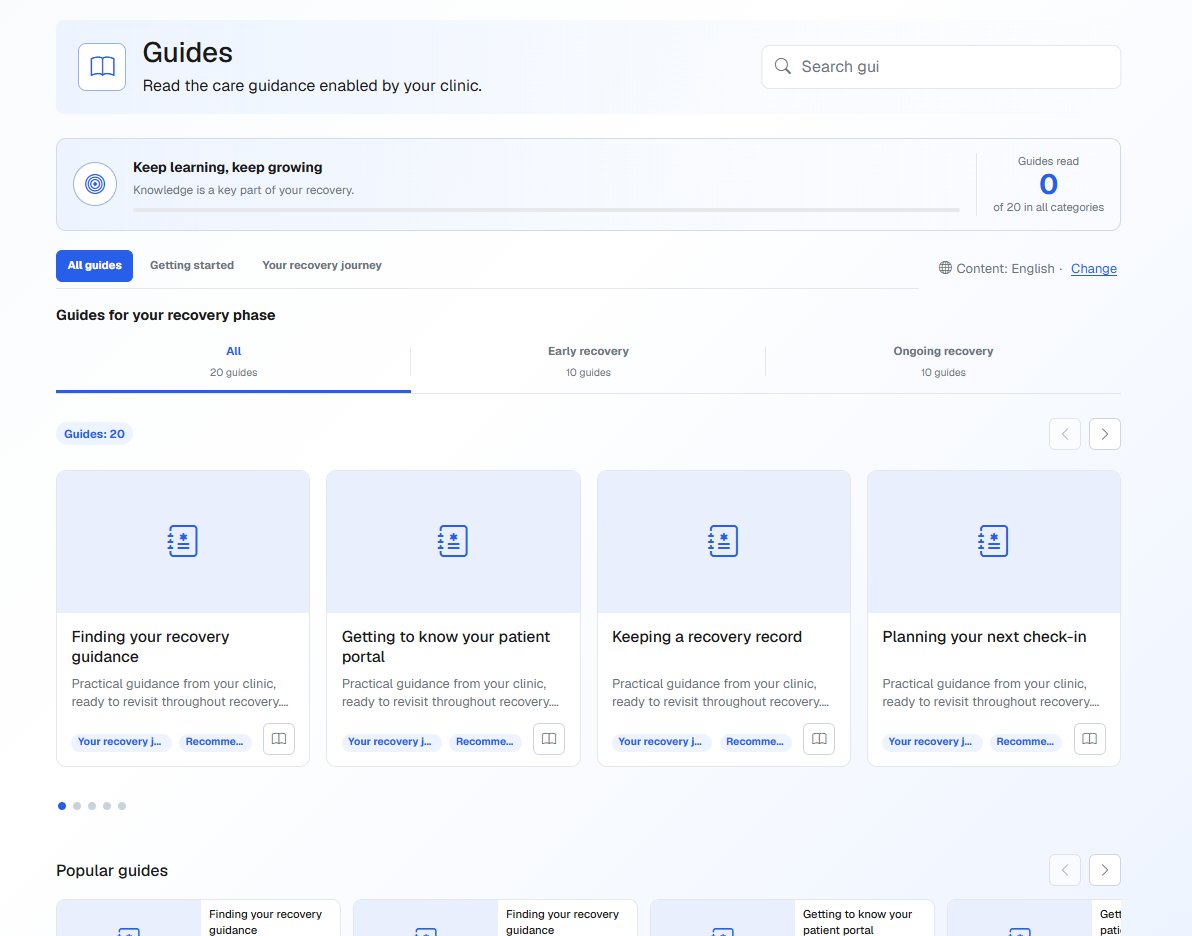
GUIDES & FAQS
Your expertise. Always within reach.
Give patients a reliable place to revisit your clinic’s instructions, recovery guides and answers.
- Clinic-approved education
- Practical recovery tips
- Answers alongside their care plan
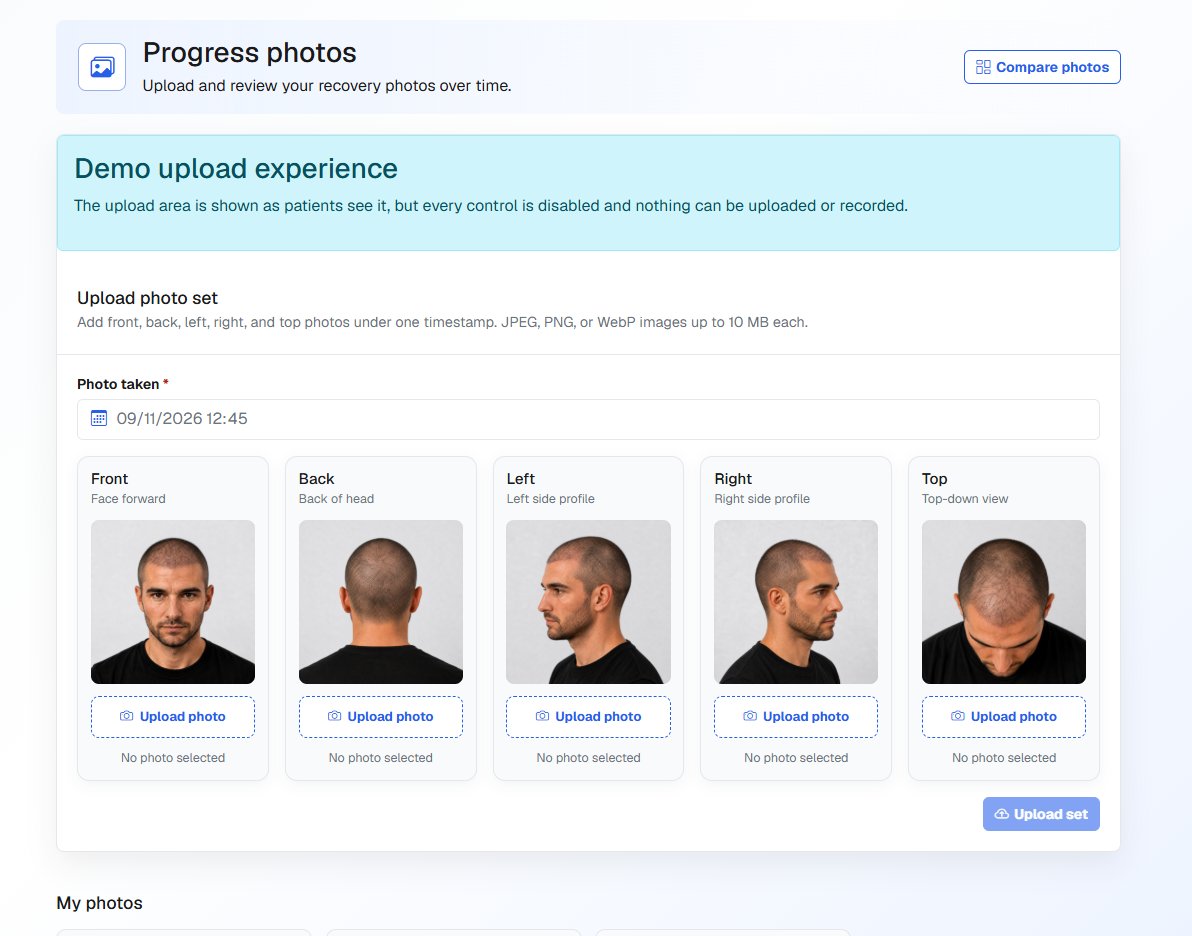
PROGRESS PHOTOS
Keep the recovery journey in view.
Organize hair transplant progress photos into a record your patients and clinical team can revisit.
- Dedicated photo uploads
- Organized recovery photo sets
- Side-by-side comparisons
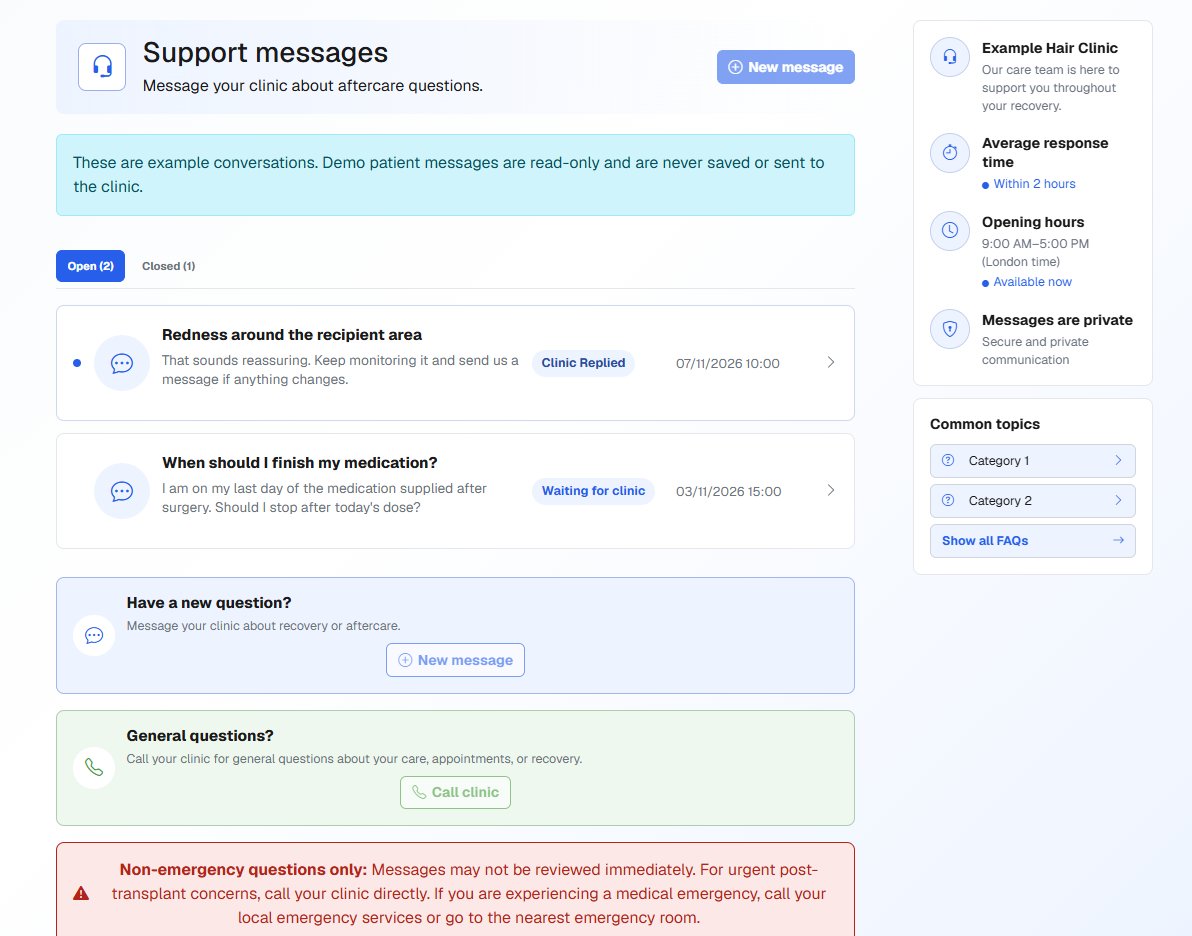
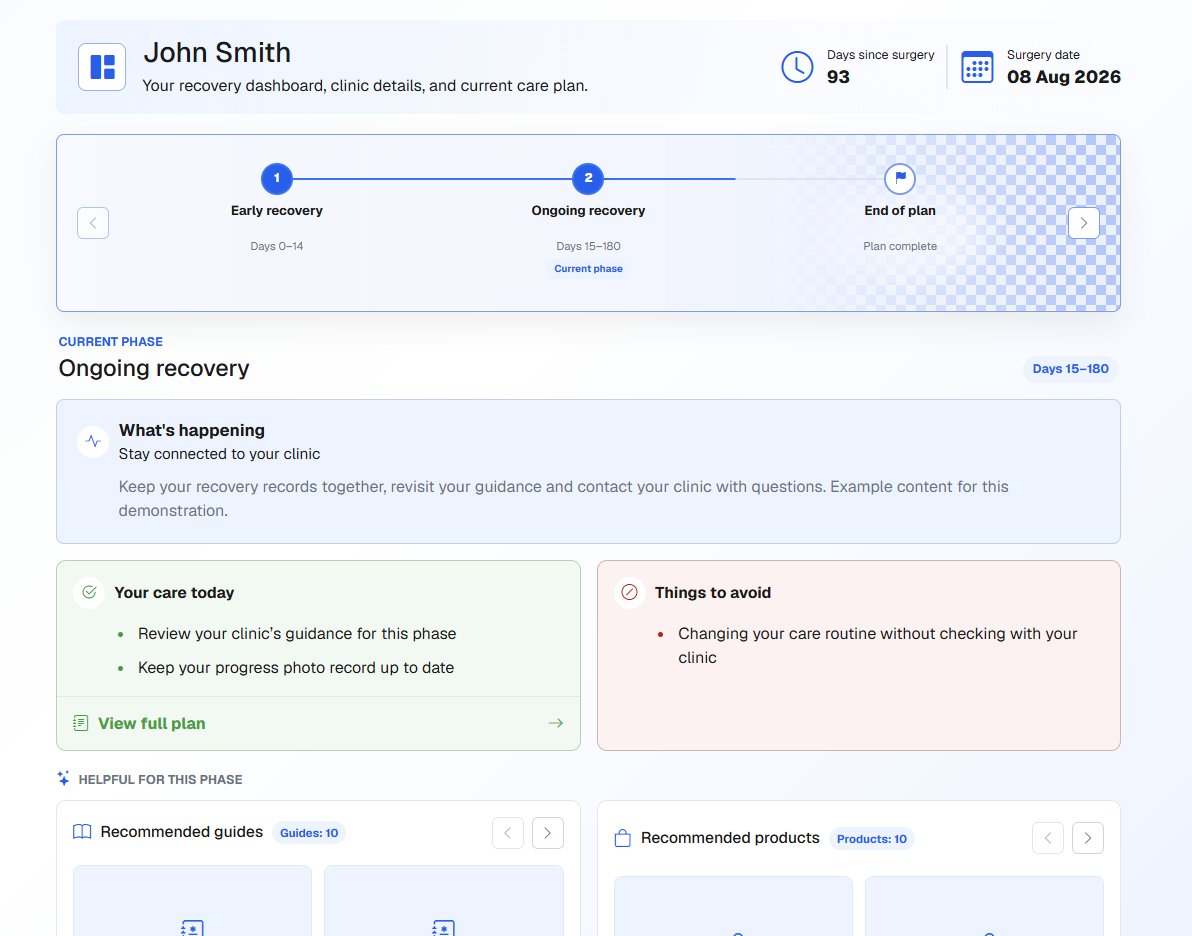
PATIENT PORTAL
Make aftercare feel like part of your clinic.
A familiar place for patients to find their recovery phase, care guidance and route back to your team.
- Care guidance in one place
- Progress records they can revisit
- Browser access on phone, tablet or desktop
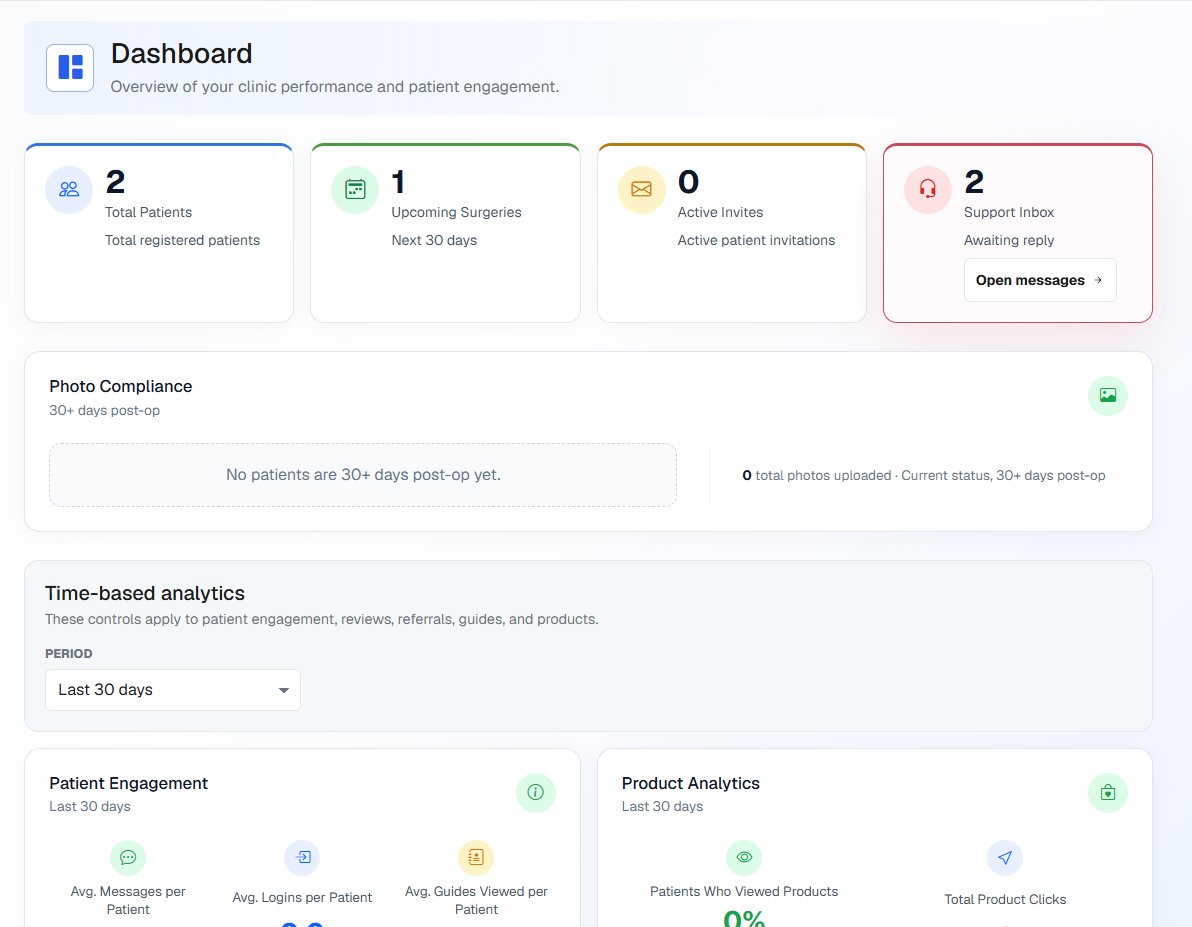
CLINIC DASHBOARD
Give your team a shared view.
Keep day-to-day aftercare organized with patient activity, support and clinic tools close to hand.
- Patient and invitation overview
- Support inbox and engagement information
- Access to your clinic’s content and settings
YOUR TEAM. YOUR APPROACH.
Built around the way your clinic cares.
Post Graft Care connects your people, your guidance and your patient experience.
Your identity
Clinic branding that feels familiar to patients.
Clear responsibilities
Staff access and permissions suited to each role.
Your clinical guidance
Templates to get started. Your team stays in control.
FROM SIGNUP TO CONNECTED CARE
Your clinic’s path to connected aftercare.
Six steps from your first login to connected patient care. Open a step for practical setup guidance.
- 01
Create your account
Register your clinic and administrator.
Setup details
Have your clinic’s name, contact information and address ready, along with the name and email address of the person creating the administrator account. Your clinic website can also be included.
Work through the registration form, review your details and follow any email-verification instructions before signing in. Start with an email inbox the administrator can access.
- 02
Make it yours
Add your clinic identity and contact details.
Setup details
Add your clinic branding and review the information you want patients to recognize. A familiar identity helps connect the online aftercare experience with the clinic they visited.
Gather your logo and clinic information before setup. Review the details together so your team starts from a consistent clinic workspace.
- 03
Prepare your guidance
Build care plans and review your content.
Setup details
Create care plans or start from available templates, then organize your guidance into recovery phases. Add the guides, FAQs, tips and product recommendations that support your clinic’s approach.
Have the appropriate members of your clinical team review the content before using it with patients. Templates provide a starting point; your clinic is responsible for the advice it delivers.
- 04
Bring in your team
Invite staff and agree on responsibilities.
Setup details
Invite the staff members who will help manage aftercare and give them permissions suited to their responsibilities. Staff use their invitation to create their account, then sign in through clinic login.
Decide who maintains care content, reviews progress records and responds to patient questions. Clear responsibilities help your team use the platform consistently.
- 05
Welcome your patients
Share an invitation link or clinic join code.
Setup details
Create an open invitation or a patient-specific invitation tied to an email address. Share the signup link or clinic join code so patients can register with your clinic.
Patient registration includes their recovery details and clinic join code. For a patient-specific invitation, ask the patient to use the matching email address. Introduce them to their care guidance, progress photos and support conversations.
- 06
Keep care connected
Set up follow-up and your support routine.
Setup details
Configure the automated-message triggers, conditions and delivery settings that fit your clinic’s workflow. Review message delivery history and make support conversations part of your team’s routine.
Explain how patients should contact the clinic, what response expectations your team sets and which route to use for urgent concerns. Continue reviewing your content as your aftercare service develops.
A FEW THINGS TO KNOW
Questions,
answered.
Practical answers about setting up your clinic, inviting patients and organizing your aftercare service.
Already using Post Graft Care?
Go to patient or clinic loginAbout the platform
What is Post Graft Care?
Post Graft Care is hair transplant aftercare software for clinics and their patients. It brings care plans, recovery guides, progress photos, patient communication and automated follow-up into a connected platform.
Is PostGraftCare the same as Post Graft Care?
Yes. PostGraftCare and PostGraft Care are alternate spellings of Post Graft Care, the hair transplant aftercare platform for clinics and patients at postgraftcare.com.
Can we use our own aftercare guidance?
Yes. Clinics can create care plans and recovery content, and use available templates as a starting point. Your team can organize guidance into recovery phases and include relevant guides, tips and product recommendations.
How does it support patient follow-up?
Patients can access guidance, upload progress photos and send aftercare questions to their clinic. Clinic teams can configure automated-message rules with triggers, conditions and delivery settings, and review delivery history.
Can multiple staff members use the platform?
Yes. Clinics can invite staff and manage their permissions, giving team members access appropriate to their responsibilities.
Is this a replacement for clinical advice?
No. Post Graft Care helps clinics organize and deliver their aftercare service. Clinical advice and decisions remain with the treating clinic. Patient messaging is not an emergency service.
Setting up your clinic
What should we prepare before registering?
Have your clinic name, contact email, phone number and address ready, plus the administrator’s name and email address. Your website is optional. For the next stage, gather your clinic logo, existing aftercare instructions and the names of staff who will help manage the service.
How long does clinic setup take?
Setup time depends on how much content your clinic wants to prepare and review, how many staff members need access and how you plan to introduce patients. Registration is the first step; allow time to review care plans, confirm team responsibilities and prepare patient invitations before launching your workflow.
How do patients join our clinic?
Your clinic can create an open invitation or a patient-specific invitation and share its signup link or join code. Patients enter the clinic join code during registration. A patient-specific invitation is tied to the email address entered by the clinic, so the patient should register with that address.
What if a patient does not receive an invitation email?
Your team can share the signup link or join code directly. For a patient-specific invitation, check that the patient is using the email address associated with the invitation. If they still cannot register, contact support rather than creating additional accounts for them.
Do we need to write all our care content from scratch?
No. Available templates can provide a starting point for clinic care plans and other supported content. Your team can also create its own guidance. Review the content for your clinic’s approach and connect relevant guides, tips and recommendations to the recovery journey.
Can patients access their aftercare on a phone?
Patients can access the web-based portal through a browser on a phone, tablet or desktop. The patient experience includes care guidance, progress-photo uploads and support conversations. Introduce patients to the portal and show them where to find their clinic’s instructions when they join.
Before you sign up
Does this replace our existing medical-record system?
Post Graft Care is a dedicated aftercare workspace for care guidance, recovery records and patient communication. Keep your clinical recordkeeping requirements in view when planning how your team will use it. Contact Post Graft Care to discuss any specific integration or data-import requirements before relying on those workflows.
How should we review access and privacy before rollout?
Plan staff permissions around each person’s responsibilities and review the Privacy Policy and Clinic Services Agreement. Discuss your clinic’s specific data-handling and security requirements with Post Graft Care before introducing patient information.
Where can we ask about pricing or onboarding support?
Use Contact Support to discuss pricing, onboarding assistance and any specific requirements before deciding how to roll out the platform. Confirm pricing, included services and any onboarding arrangements with the team before planning your rollout.
How do we get started?
Follow the six-step setup walkthrough, beginning with clinic registration and your administrator account. If your clinic already has an account, use clinic login. Patients can access their account through patient login.
MAKE THE NEXT STEP A CONNECTED ONE
Your patients’ next chapter.
Your clinic, by their side.
Bring structure, guidance and continuity to your hair transplant aftercare service.
Create clinic account Already registered? Log in